Can You Pack Power Banks in Checked Luggage? 2026 Airline Battery Rules Travellers Need to Know
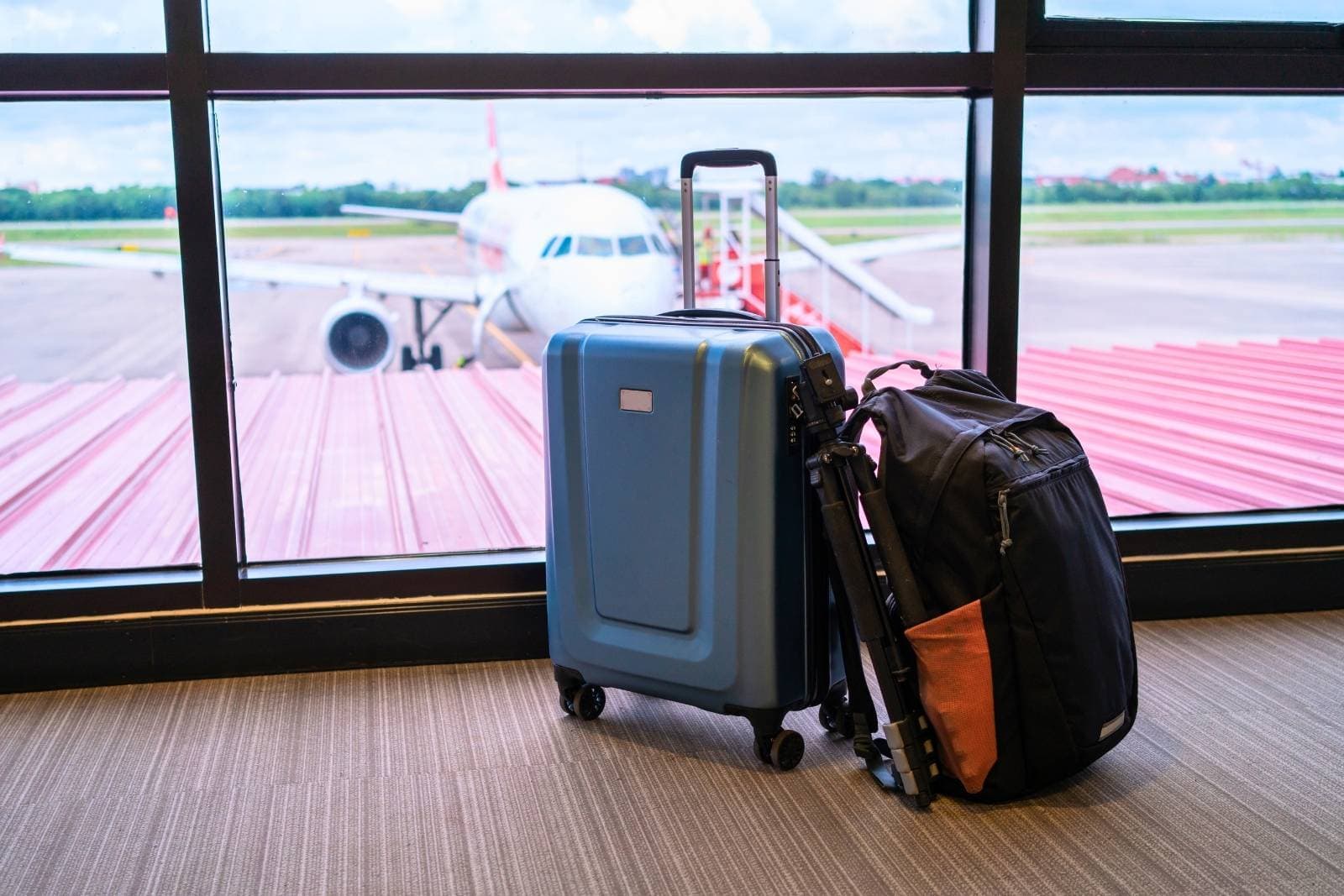
Most travellers now fly with several battery-powered items: a phone, laptop, tablet, camera, headphones, smartwatch, portable charger or vape. But packing one of them in the wrong bag can cause real problems at the airport.
In 2026, aviation safety authorities are warning travellers to pay closer attention to lithium batteries after reports that millions of batteries are still being packed incorrectly. The biggest mistake is simple: power banks, portable chargers and spare lithium batteries should not go in checked luggage.
They belong in your carry-on bag or personal item, where they can be reached quickly if they overheat, smoke or catch fire. This matters even more when your carry-on gets taken away at the gate and sent underneath the plane.
2026 Airline Battery Rules at a Glance
| Item | Checked luggage | Carry-on / personal item | What to know |
|---|---|---|---|
| Power banks | No | Yes | Must stay in the cabin |
| Portable chargers | No | Yes | Treated as spare lithium batteries |
| Spare camera batteries | No | Yes | Protect terminals from short circuit |
| Spare drone batteries | No | Yes | Check airline quantity and watt-hour limits |
| Vapes / e-cigarettes | No | Yes | Do not use or charge onboard |
| Phone charging cases | No | Yes | Treated like external battery packs |
| Laptops | Rules vary | Best choice | Must be powered off if checked |
| Phones | Rules vary | Best choice | Keep with you whenever possible |
| Tablets | Rules vary | Best choice | Keep protected and powered off if checked |
| Smart luggage batteries | Remove before checking | Yes | Bag may be refused if battery is not removable |
The safest habit is simple: power banks, spare batteries and removable batteries stay with you. Valuable electronics are usually better in the cabin too.
Why Are Power Banks Not Allowed in Checked Luggage?
Power banks are not allowed in checked luggage because they contain lithium batteries that can overheat if damaged, poorly packed, overcharged, exposed to heat or affected by a defect.
In rare cases, lithium batteries can enter thermal runaway. That means the battery heats faster than it can cool itself down. It may swell, smoke, burn or ignite.
If that happens in the cabin, passengers and crew can spot the problem quickly. Cabin crews are trained to respond to battery incidents. If the battery is hidden inside a suitcase in the cargo hold, it is much harder to access.
That is why this rule is not just airport red tape. A small charger in the wrong bag can become a serious safety issue.
What Batteries Should Never Go in Checked Luggage?
Before you check a suitcase, look for anything with a loose, spare or removable lithium battery.
These items should stay in your carry-on or personal item:
- Power banks
- Portable phone chargers
- Spare lithium batteries
- Spare camera batteries
- Spare drone batteries
- Spare laptop batteries
- Rechargeable battery packs
- Phone battery charging cases
- Removable smart-luggage batteries
- Vapes and e-cigarettes, where legally permitted
You should also think carefully before checking valuable electronics with installed batteries, including:
- Phones
- Laptops
- Tablets
- Cameras
- Headphones
- E-readers
- Smartwatches
- Handheld gaming devices
Some airlines may allow certain devices with batteries installed in checked luggage if they are completely powered off and protected from damage. But for most travellers, the smarter choice is to keep electronics in the cabin.
Checked bags get dropped, delayed, searched and occasionally sent on their own little vacation. Your laptop does not need that character-building experience.
Spare Batteries vs. Batteries Installed in Devices
This is where the rules confuse a lot of travellers.
A spare battery is any battery that is not installed inside the device it powers. A power bank also counts because it is an external battery used to charge other devices.
A battery installed in a device is different. This includes the battery built into your phone, laptop, tablet, camera, headphones or smartwatch.
| Battery type | Examples | Best place to pack it |
|---|---|---|
| Spare battery | Loose camera battery, drone battery, spare laptop battery | Carry-on only |
| Power bank | Portable charger, phone charging case | Carry-on only |
| Installed battery | Phone, laptop, tablet, camera | Carry-on preferred |
| Removable battery | Smart-luggage battery, some camera grips | Remove before checking |
The easiest rule to remember is this:
If the battery is loose, removable or used to charge something else, do not check it. The FAA’s lithium battery guidance says power banks and spare lithium batteries must travel in carry-on baggage, not checked luggage.
What Happens If Your Carry-On Gets Checked at the Gate?
Gate-checking is one of the easiest ways to accidentally break the battery rule.
You may pack your power bank correctly in your carry-on at home. Then you reach the gate, the overhead bins are full and the agent tags your carry-on to go underneath the plane.
At that moment, your carry-on has become checked luggage.
Before handing it over, remove:
- Power banks
- Portable chargers
- Spare batteries
- Vapes or e-cigarettes, where legally permitted
- Medication
- Travel documents
- Valuables
- Anything you cannot afford to lose
The easiest system is to keep all power banks and spare batteries in one small pouch inside your personal item. If your roller bag gets gate-checked, you can remove the pouch in seconds instead of digging through your suitcase while the boarding line gives you the collective death stare.
What Is the 100 Wh Rule for Power Banks?
Airlines measure lithium-ion battery size in watt-hours, written as Wh.
Most standard phone power banks are under 100 Wh and are usually allowed in carry-on baggage. Larger batteries may require airline approval, and very large batteries are generally not allowed in normal passenger baggage.
| Battery rating | What it usually means |
|---|---|
| Under 100 Wh | Usually allowed in carry-on baggage |
| 101–160 Wh | Airline approval may be required |
| Over 160 Wh | Generally not allowed in normal passenger baggage |
The 100 Wh rule matters most for large laptop power banks, professional camera gear, video equipment and drone batteries.
A typical 10,000 mAh power bank is often around 37 Wh. A 20,000 mAh power bank is often around 74 Wh. Larger power banks can get close to the limit, so check before you pack.
According to CATSA’s battery packing guidelines, travellers should keep batteries and electronic devices containing batteries in their carry-on baggage, avoid damaged or recalled batteries, and protect spare batteries from short-circuiting.
How to Find the Watt-Hours on a Power Bank
Look for the Wh rating printed on the back, bottom or side of the power bank. Newer batteries often show this number clearly.
If the label only shows mAh and volts, you can calculate watt-hours with this formula:
Volts x amp-hours = watt-hours
Since 1,000 mAh equals 1 Ah, a 20,000 mAh power bank is 20 Ah.
For example:
3.7 volts x 20 Ah = 74 Wh
That would usually fall under the 100 Wh carry-on limit.
If the label has rubbed off and the airline cannot confirm the battery rating, the item may be refused. Do not rely on guessing at the airport.
Can Laptops, Phones and Tablets Go in Checked Luggage?
Laptops, phones and tablets have batteries installed inside the device, so they are not treated the same way as loose spare batteries or power banks.
However, airline rules vary. If an airline allows these devices in checked luggage, they should be completely powered off, protected from damage and packed so they cannot accidentally turn on.
That means fully powered off, not sleeping, hibernating or sitting there quietly planning to wake up mid-flight.
In practice, keep phones, laptops and tablets in the cabin whenever possible. They are valuable, easy to damage and often essential if your checked bag is delayed.
Are Vapes Allowed in Checked Luggage?
No. Vapes and e-cigarettes should not be packed in checked luggage because they contain batteries. They should travel in the cabin and must not be used or charged during the flight.
Rules for vaping products also vary by destination, and some countries restrict or ban them. If an adult is legally travelling with one, it still needs to follow airline battery rules.
If you are packing for someone else, check for these before closing a checked suitcase. A vape tossed into checked luggage can create the same battery issue as other lithium-powered devices.
Can You Check Smart Luggage?
Smart luggage can usually be checked only if the battery can be removed.
A smart bag is luggage with built-in charging, tracking or other battery-powered features. If the bag is going into the cabin and meets carry-on size limits, it may be accepted as a carry-on. If it has to be checked, the battery must usually be removed and brought into the cabin.
If the battery cannot be removed, the airline may refuse to accept the bag as checked luggage.
Before travelling with smart luggage, find the battery compartment at home. Do not wait until the check-in counter to discover that the “removable” battery requires a tiny screwdriver, a prayer and the patience of a saint.
Can You Pack Drones and Camera Batteries in Checked Luggage?
The drone or camera body may be allowed in checked luggage by some airlines, but spare lithium batteries should be removed and carried in the cabin.
Spare camera batteries and drone batteries should be individually protected so the terminals cannot touch metal or each other. Use the original packaging, a battery case, a protective pouch or tape over exposed terminals.
If you travel with several batteries for photography or video work, check your airline’s quantity limits before you fly. Battery rules can be stricter for professional video gear and larger drone batteries.
How to Pack Batteries Safely for a Flight
Loose batteries should never be thrown into a bag with coins, keys, jewellery, cables or other metal objects. Battery terminals can short-circuit if they touch metal.
Pack batteries safely by:
- Keeping them in the original packaging when possible
- Covering exposed terminals with tape
- Using a battery case or sleeve
- Keeping each battery separate
- Storing them in a protective pouch
- Keeping them away from sharp or heavy items
- Packing them somewhere easy to access
This is especially important for camera batteries, drone batteries and loose rechargeable cells.
Do Not Fly With Damaged or Recalled Batteries
Do not travel with a battery that is swollen, cracked, leaking, unusually hot, damaged or recalled.
A swollen power bank is not “probably fine.” It is a damaged battery and should be taken to an appropriate recycling or disposal location.
Before flying with an older power bank, check the model number and look for current recall notices from the manufacturer or your government recall site. Some recalled power banks may be prohibited onboard entirely.
If a battery looks questionable, leave it at home. Replacing a charger is cheaper than dealing with a safety incident at the airport.
What to Do If a Battery Overheats on the Plane
If a battery or device becomes hot, starts swelling, smokes, sparks or smells strange during a flight, tell the cabin crew immediately.
Do not put it in the overhead bin. Do not hide it in a bag. Do not take it to the washroom. Cabin crew are trained to respond to battery incidents, but they need to know right away.
The goal is not to handle the problem yourself. The goal is to alert the people trained to deal with it.
Two-Minute Battery Check Before Every Flight
Before leaving for the airport, do this quick check:
- Find every power bank, spare battery and battery-powered device.
- Check each battery for swelling, cracks, heat or damage.
- Look for the Wh rating.
- Check for recalls if the battery is older or unfamiliar.
- Put power banks and spare batteries in your carry-on or personal item.
- Protect loose battery terminals.
- Check the rules for the airline operating your flight.
- Remove batteries before gate-checking a carry-on bag.
This takes less than two minutes and can prevent a pulled bag, confiscated item or airport delay.
Before You Check Your Bag: Battery Packing Checklist
Before you check a suitcase or hand over a carry-on at the gate, make sure:
- Power banks are in your carry-on
- Portable chargers are in your carry-on
- Spare batteries are in your carry-on
- Vapes or e-cigarettes are in your carry-on, where legally permitted
- Battery terminals are protected
- Watt-hours are checked
- Damaged batteries are removed
- Recalled batteries are left at home
- Smart-luggage batteries can be removed
- Your battery pouch is easy to grab before gate-checking
Final Advice
Before you check any bag, open it and look for batteries.
Power banks, portable chargers, spare batteries and removable lithium batteries stay with you in the cabin. Phones, laptops, tablets and cameras are usually safer in your carry-on. If your carry-on gets taken at the gate, remove your battery pouch before the bag goes underneath the plane.
The goal is not to stop travelling with electronics. The goal is to stop packing them on autopilot.
A two-minute battery check before every flight can save your bag, your gear and possibly your travel day.


